glovebox-mcp
● liveA sandboxed computer-use MCP — let an AI agent drive any GUI app, sealed inside a nested X11 window.
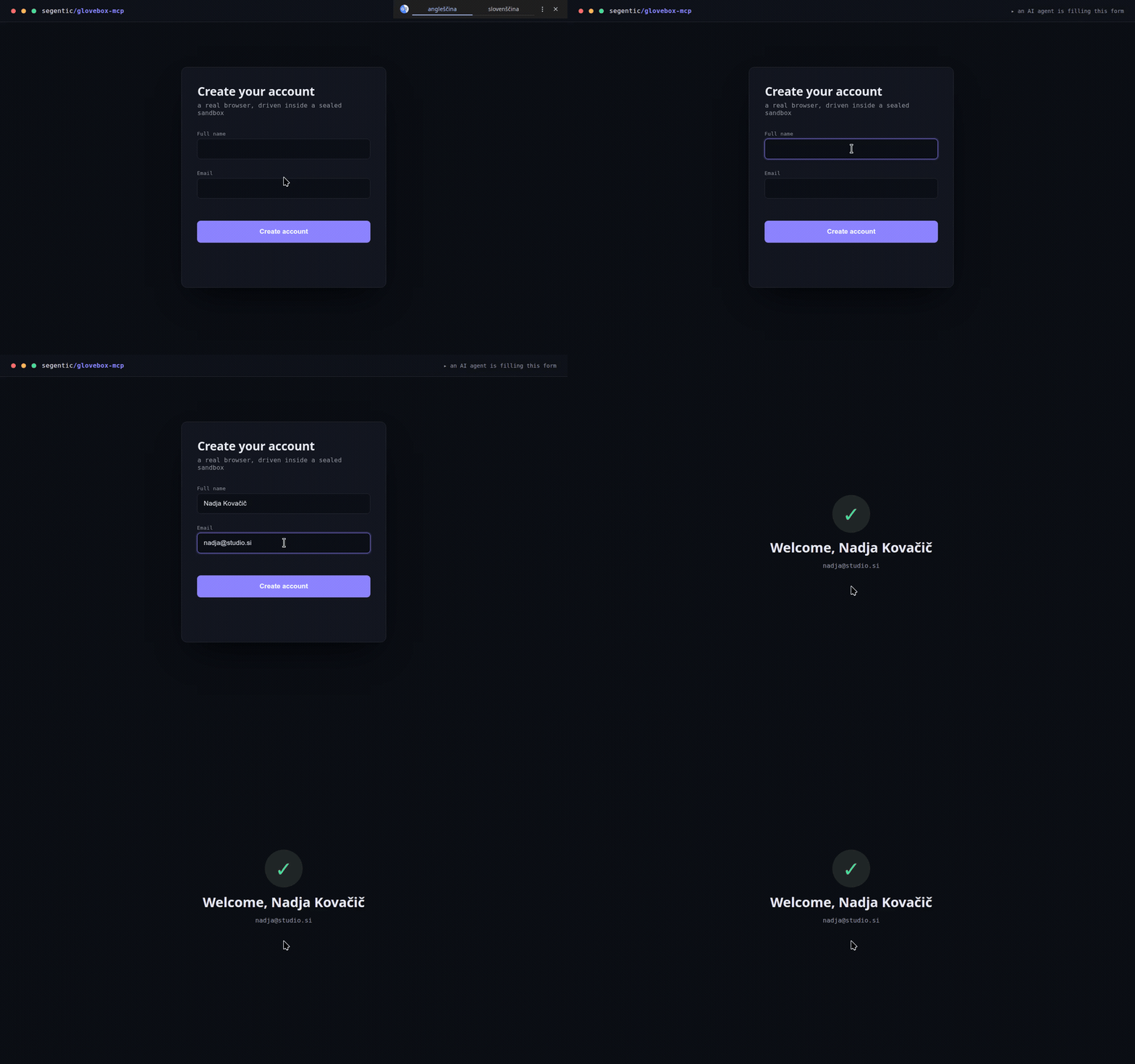
glovebox-mcp is a Model Context Protocol server that gives an AI agent a real desktop to drive — mouse, keyboard, screenshots, and vision grounding — sealed inside a nested X11 window so it can never touch your actual screen, files, or other apps.
Like a lab glovebox: the agent reaches in and manipulates real applications, isolated from everything else. The host can run Wayland; the sandbox gives the agent a real X server to drive, and you can watch it live or close it instantly.
What makes it different
- Any MCP client / harness. Claude Code, Cursor, Codex, or your own agent — it’s a standard MCP server, not tied to any host.
- Selectable vision backends.
none(the agent’s own vision reads the screenshots),basic(Tesseract OCR — text + coordinates, CPU), orlocal(OmniParser on a GPU — icons and text with pixel-precise boxes). One install flag switches modes. - Multi-instance, truly parallel.
launch_appspins up any GUI app in its own display — each with its own cursor — so several sub-agents can work at once, one window each. - Unicode-safe input. Diacritics (č/š/ž…) are inserted via the clipboard, because synthetic unicode keystrokes get silently dropped by some GTK apps.
- Files, both directions. Browser uploads go through the Chrome DevTools Protocol (the native picker hangs snap Chromium); native apps use
open_file; every instance gets afiles/<N>/staging folder, and browser downloads land there automatically. - One-call observe. Actions can return the resulting screenshot in the same call, so routine steps don’t bloat the agent’s context.
Get it
Open-source under MIT → github.com/segentic-lab/glovebox-mcp.
One line per vision mode — the installer sets up the X11 sandbox (auto on Debian/Ubuntu, guided on Fedora/Arch) and writes your MCP client config with the right paths:
git clone https://github.com/segentic-lab/glovebox-mcp && cd glovebox-mcp && ./install.sh noneIt ships with an AGENTS.md you paste into your agent’s system prompt — the observe → act → verify loop, grounding, the upload/unicode gotchas, and when to stop. If it’s useful, a ⭐ on the repo helps.